



SLA Printing Failure Causes: 10 Common Problems and How to Troubleshoot Them
3 July 2026
Industry Insights
SLA printing failures can have many causes, including software settings, printer calibration, resin handling, and environmental conditions. In many cases, a failed print is not caused by a single setting, but by several factors working together.
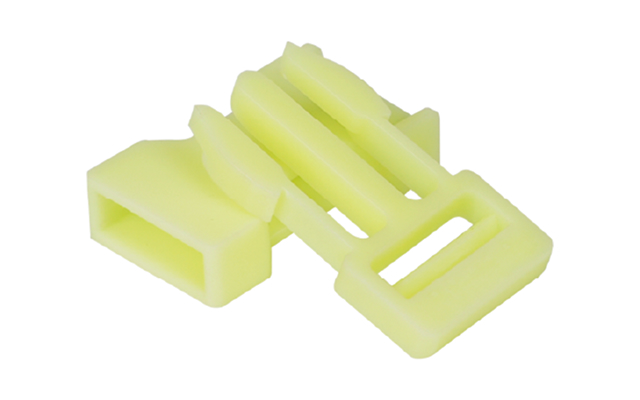
For manufacturing teams, 3D printing service providers, and creative studios, identifying the cause of an SLA 3D printing failure starts with checking the entire printing process. At SoonSer, we look at common 3D print problems and solutions across model preparation, printer settings, resin handling, and the printing environment.
For teams operating an SLA 3D printer, checking these areas in the right order can make SLA printer troubleshooting easier and reduce repeated print failures.
10 Key SLA Printing Failure Issues
Incorrect Model Orientation
One of the earliest causes of SLA 3D printing failures is poor model orientation. Wrong positioning increases peel forces and affects stability. This is often addressed within 3D print problems and solutions as a basic but critical step.
When troubleshooting an SLA printer, review the model orientation before changing printer settings. Adjusting the angle and reducing large cross-sectional areas can help improve print stability.
Weak Support Structures
Insufficient supports can cause parts to deform, detach, or collapse during printing. This is especially common with models that have large overhangs or areas with significant cross-sectional changes.
As part of 3D print problems and solutions, check whether critical areas are properly supported and whether the supports are strong enough for the expected peel forces.
Support placement is particularly important for complex models printed on an SLA 3D printer, where unsupported areas can fail before the rest of the model is completed.
Improper Hollowing Settings
Hollow models without drainage holes trap resin and create pressure buildup. Without proper drainage, trapped resin can remain inside the model and create pressure during printing or post-processing.
When troubleshooting SLA printing problems, checking hollowing settings and drainage paths should be part of the initial model preparation process.
Base Layer Underexposure
If the base layers are underexposed, the model may not adhere properly to the build platform. The result can be warping, partial detachment, or a failed print during the early stages.
Check the base layer exposure time and build-platform calibration when investigating this type of SLA 3D printing failure.
Proper exposure settings and SLA 3D printer calibration are important for maintaining reliable build-platform adhesion.
Overexposure of Fine Details
Excessive exposure can improve adhesion in some cases, but it can also cause fine features to become thicker or less defined. Small openings may close up, sharp edges can become rounded, and dimensional accuracy may decrease.
When reviewing SLA printer settings, check the normal exposure time as well as the requirements of the resin and model. The goal is to achieve sufficient curing without sacrificing fine details.
Z-Axis Calibration Drift
Z-axis calibration problems can affect the position of each layer and may result in uneven or misaligned prints. Mechanical looseness, platform movement, or incorrect calibration can all contribute to this type of failure.
If print problems continue after checking the model and exposure settings, inspect the Z-axis and build platform.
Regular SLA 3D printer calibration and mechanical checks can help maintain consistent layer positioning.
Unstable Ambient Temperature
Resin performance can change when the surrounding temperature fluctuates significantly. Low temperatures may affect resin flow and curing behavior, while large temperature changes can make print results less consistent.
For reliable SLA 3D printing, keep the printer and resin within the temperature range recommended by the machine and resin manufacturer.
High Humidity Conditions
Humidity is another environmental factor worth checking when troubleshooting SLA printing failures. Although resin-based printing is generally less sensitive to humidity than some filament-based processes, poor environmental control can still affect material storage and overall print consistency.
For users operating an SLA 3D printer, keeping the printing area and resin storage conditions stable can help reduce unnecessary variables.
Improper Resin Storage
Resin that has been stored improperly or contaminated with other materials can produce inconsistent printing results. Exposure to light, excessive heat, contamination, or prolonged storage without proper handling may affect resin performance.
When investigating SLA 3D printing failures, check the resin's storage conditions, expiration or recommended usage period, and whether the material has been contaminated.
Proper SLA resin storage and handling can help maintain more consistent print quality.
Inconsistent Workflow Practices
Changing multiple parameters at the same time can make it difficult to determine what caused a printing failure. Skipping calibration checks or using different settings for similar jobs can also make recurring problems harder to diagnose.
A consistent SLA printing workflow makes troubleshooting easier because operators can compare failed prints against previous successful results.
How to Troubleshoot SLA Printing Failures
When an SLA 3D printer produces an unsuccessful or inconsistent print, check the possible causes one step at a time instead of changing several parameters simultaneously.
Check Model Setup
Start with the model itself. Review:
Model orientation
Support structures
Hollowing settings
Drainage holes
These factors can affect print stability before the SLA printing process even begins.
Check Exposure and Calibration
Next, review the printer's exposure and calibration parameters:
Base layer exposure
Normal exposure
Z-axis calibration
Build-platform adhesion
Other SLA printer settings
Keeping these parameters consistent can help reduce recurring SLA printing problems.
Check the Printing Environment
Temperature and humidity should also be considered when troubleshooting an SLA printer. Environmental changes can affect resin behavior and ultimately influence print quality.
Check Resin Condition
Review the condition and storage of the resin being used. Contamination, improper storage, or inconsistent material handling can contribute to SLA printing failures.
Check Workflow Consistency
Finally, review whether operators are following consistent printing and validation procedures. A standardized SLA printing workflow makes it easier to compare results and identify the source of repeated failures.
Conclusion
In SLA production environments, printing failures usually come from multiple combined factors including setup, calibration, environment, material handling, and workflow discipline. By systematically reviewing SLA 3D printing failures through structured 3D print problems and solutions, teams can identify root causes more efficiently.
A systematic approach to SLA printer troubleshooting can also help teams optimize printer settings, calibration, resin handling, and workflow consistency for more reliable production.
At SoonSer, we focus on helping users build stable and repeatable SLA printing workflows that support consistent performance across manufacturing, service, and creative applications. Our SLA 3D printing solutions are designed to support users throughout the printing process, from equipment operation and calibration to stable production workflows.

